The wholesale market,always with you
Easy, fast and reliable wholesale buying anytime, anywhere. Run your business smarter with the PazarMall app.
- Fully secure
- Fast and stable
- Constantly updated
Key app features
24/7 ordering
Place your wholesale orders anytime, anywhere.
Nationwide network
Reach thousands of suppliers and manufacturers across the country.
Secure deals
Safe payment, quality assurance and trusted suppliers.
Unified management
Orders, invoices and sales reports in one professional workspace.
Every business toolin one app
From finding products and comparing prices to placing orders, tracking purchases and viewing financial reports, everything is in the PazarMall app.
Advanced product and seller search
Wholesale prices and sales terms
Basket management and ordering
Order status tracking
Financial and management reports
A different way to buy wholesale
Simple interface
A modern, easy design focused on what businesses need.
Fast access
Reach thousands of products and suppliers in seconds.
Live information
See stock, prices and sales terms in real time.
Notifications
Hear about discounts, special offers and price changes.
Some of the main PazarMall app screens
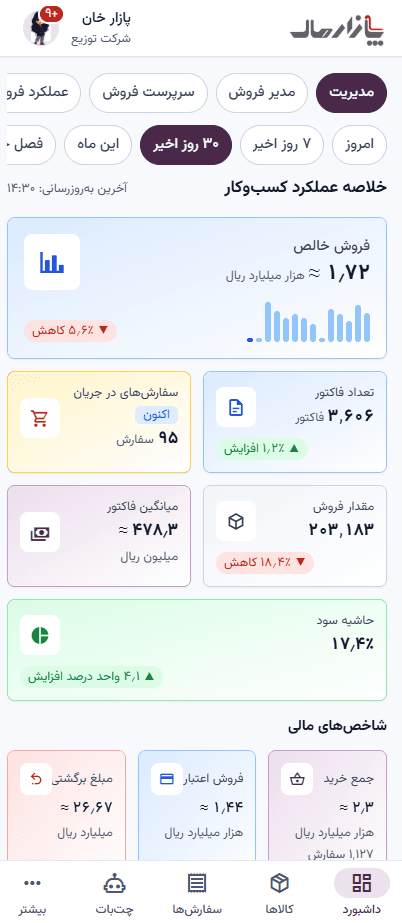
Management dashboard
Business performance and sales at a glance
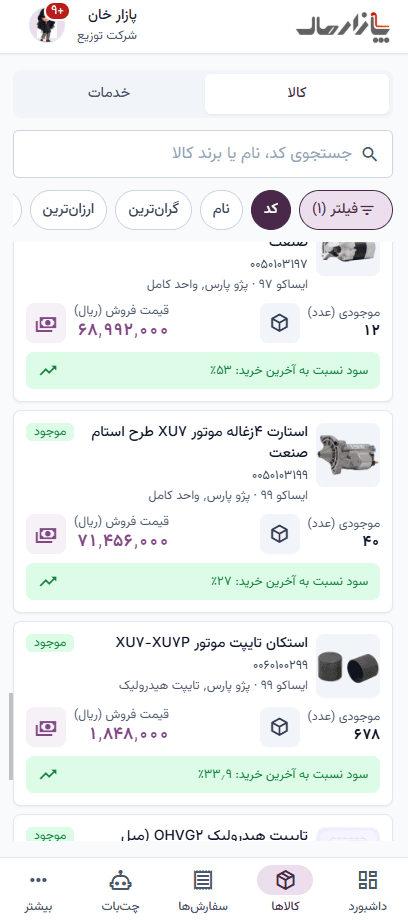
Products and prices
Search, wholesale prices and stock
Smart assistant
Ask about products and orders
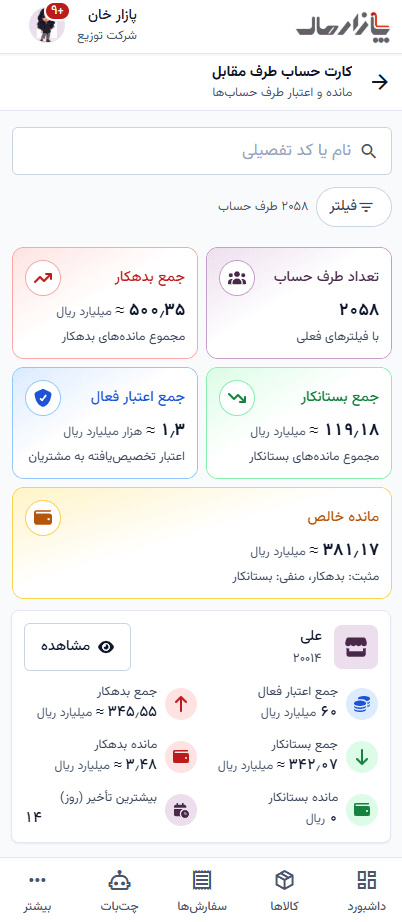
Counterparty account card
Balance, cheques and account activity
Warehouse stock report
Live stock of every product
Install in three steps
Cafe Bazaar or Myket
Tap the Cafe Bazaar or Myket button.
Choose “Install” in the store.
Open the app and sign in.
Direct Android file
Tap the direct download button.
If your phone asks, allow installs from this source.
Open the file and tap “Install”.
Web app
Open the web app in your phone’s browser.
Choose “Add to Home screen” from the browser menu.
Launch it from the home screen icon like an app.
Frequently asked questions
Yes. Downloading and using the app costs nothing.
On iPhone, open the web app and add it to your home screen; every feature is available.
Yes. Use the same mobile number with your password or a one-time code.
The direct file comes from PazarMall’s own server and is the same build as in the stores.
The app is only available from this website. If you already have it installed, you will get an update prompt when a new version is released; otherwise download the file again from this page.
PazarMall, beside your business
Download the PazarMall app and step into the big world of wholesale trade.